

Customer success dashboards aggregate health scores, usage metrics, and support ticket trends for manual CSM review. AI agents execute playbooks autonomously when signals fire—drafting rescue emails, triggering workflows, and initiating handoffs without human prompts.
Key Takeaways
- AI agents execute playbook actions autonomously—drafting emails, routing tasks, triggering workflows—while dashboards surface data for manual CSM interpretation
- Agents monitor signals continuously and intervene in real time, eliminating the timing lag between health score updates and CSM awareness
- Agents draft context-aware outputs grounded in source data—support ticket IDs, usage metrics, CRM notes—reducing hallucination risk
- Dashboards excel for retrospective analysis and executive reporting; agents justify adoption for time-sensitive workflows like churn rescue and expansion triggers
- Churn rescue, onboarding bottlenecks, and expansion play timing benefit most from autonomous execution where delayed intervention costs revenue
AI agents execute actions autonomously, drafting emails, triggering workflows, routing tasks, while dashboards surface data for human interpretation and manual follow-up. Agents monitor signals continuously, interpret context, then act without waiting for CSM triage. Dashboards aggregate the same signals into charts and alerts but stop short of resolution, leaving execution to the team.
The Presentation Model: How Dashboards Aggregate Data
Customer success dashboards collect usage drops, support ticket spikes, NPS declines, and contract milestones from CRM, product analytics, and billing systems. They render signals as health-score tables, trend charts, and red-yellow-green alerts. A CSM opens the dashboard, scans the list, identifies which accounts need attention, then manually drafts emails, schedules calls, or escalates to account executives. The dashboard informs; the CSM executes.
The Execution Model: How Agents Act on Signals
AI agents monitor the same signals continuously but reason, plan, and take action across multiple systems. When a usage threshold drops, the agent cross-references support history, recent calls, and product adoption gaps, then autonomously drafts a personalized rescue email citing specific issues or queues a Slack message for the account owner. Quivly, for example, surfaces churn signals the moment they appear and triggers automated rescue playbooks, so post-sales teams focus on saving accounts, not finding them. Agents work 24/7 in the background, delivering drafted outputs and executed steps without human prompts.
A Post-Sales Example: Churn Rescue Workflow
A mid-tier account's weekly active users fall 40% over ten days. The dashboard shows a red health score; a CSM sees the alert Monday morning, reviews usage logs, checks recent support tickets, then drafts an outreach email. By contrast, an agent detects the drop within minutes, scans the last three support tickets (two API timeout errors, one billing question), cross-references the champion's Slack activity (silent for eight days), drafts a rescue email, "We noticed API latency issues on your workspace last week. Our engineering team pushed a fix Friday; let's schedule 15 minutes this week to confirm resolution", and queues it for CSM review. The agent has already synthesized context and drafted the message before the CSM opens the dashboard.
Understanding why agents act differently than dashboards requires examining the architectural pattern that enables autonomous execution.
Autonomous Execution: the Core Architectural Difference
What Qualifies as Autonomous Execution
Autonomous execution means the system detects a signal, usage milestone reached, health score drop, sentiment shift in a support ticket, interprets the account context, selects a playbook action, and executes it without waiting for human approval at each step. The agent drafts an email, creates a Slack thread, logs a CSM task, or triggers a cross-functional workflow, moving from reactive to proactive. Contrast this with an *automated alert*, which surfaces a notification but still requires a CSM to log in, review the account, decide on next steps, and manually execute.
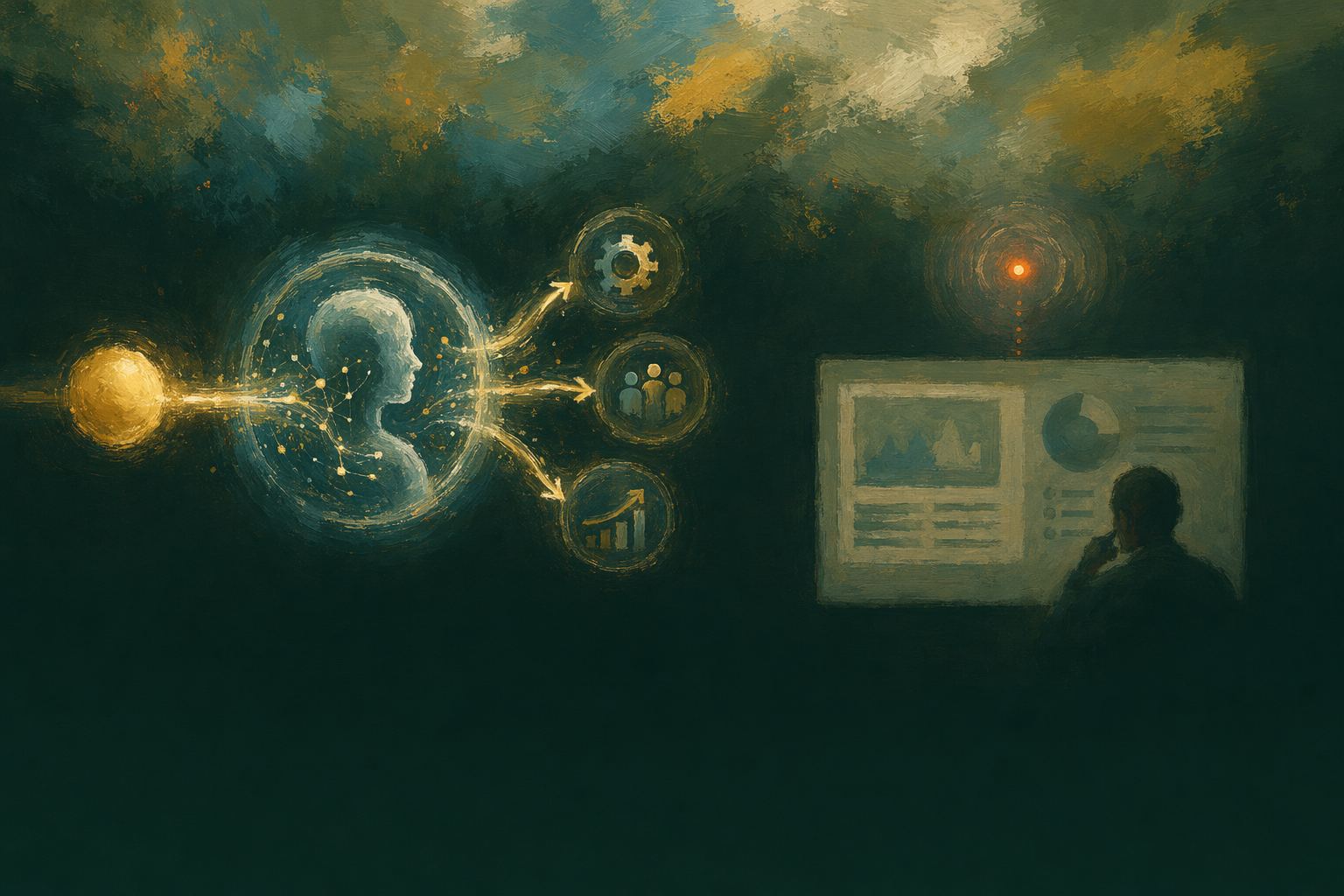
For example, Quivly AI's workflow engine encodes best practices into automated playbooks. When a churn signal fires, say, a customer's API call volume drops 40% week-over-week, the agent doesn't just notify the CSM; it launches a rescue playbook: drafts a context-aware check-in email citing the specific usage data, creates a Slack thread for the account team with full technical context, and logs a follow-up task in the CRM, all citing source data. The CSM reviews the drafted message before sending, but the agent has already closed the loop from signal to action.
Manual Playbook Triggering in Dashboard Workflows
Traditional CS dashboards require CSMs to log in daily, scan health score charts, filter accounts by risk tier, click into individual account pages to review usage and support ticket history, decide which accounts need attention, manually select a playbook template from a dropdown, customize the message with account-specific context they've gathered from multiple tabs, and finally send. This workflow introduces context-switching overhead at every step: switching from the dashboard to the CRM to pull contract details, switching to the data warehouse to check usage trends, switching back to the playbook editor to draft the message.
The median CSM spends 6-8 hours per week on this triage loop alone, time that could be spent on strategic account planning or high-touch customer conversations. Most after-sales platforms still operate in this reactive model: the tool surfaces signals, but the human executes every downstream action manually.
How Agents Handle Low-Confidence Signals
A common objection: won't autonomous agents execute blindly on uncertain data and send wrong messages? Properly architected agent systems flag low-confidence signals explicitly and queue uncertain actions for human review before execution. Quivly's agents cite every claim back to source data, usage telemetry, CRM activity, support ticket sentiment, and flag sections of a drafted email where the underlying signal has low confidence (for instance, incomplete product usage data or a sentiment score below a reliability threshold).
When an agent drafts a churn-prevention email and one of the cited usage metrics is stale or incomplete, the draft is routed to a *review-before-send* queue rather than auto-sending. The CSM sees the draft with inline annotations marking which claims are confident and which need verification. This human-in-the-loop design lets agents handle the 80% of high-confidence signals autonomously while surfacing the edge cases that genuinely need judgment.
Autonomous execution architecture relies on continuous monitoring rather than scheduled data refreshes, creating a fundamental timing advantage.
Real-Time Context and Intervention Timing
The Dashboard Refresh Cycle: Hourly and Daily Batches
Traditional CS dashboards aggregate data on scheduled intervals, health scores recalculate nightly, usage metrics update hourly, creating a timing lag between signal and CSM awareness. Daily batches mean a support escalation filed at 9am may not surface until the next morning's refresh, and an hourly sync still leaves a 60-minute window where churn risk sits undetected.

Continuous Monitoring and Immediate Intervention
Agents monitor continuously and intervene in real time when signals fire, a support ticket filed, feature adoption dropping below threshold, or contract renewal date approaching, and trigger interventions within minutes. Real-time conversation analysis detects sentiment shifts mid-call, while automated workflows draft rescue emails, escalate to account owners, and log tasks without waiting for the next batch run. Quivly AI's Radar provides 24/7 monitoring, scanning product usage, support activity, and market signals to surface churn risks and expansion opportunities the moment they emerge.
When Timing Matters: Churn Rescue and Expansion Windows
Churn rescue requires intervention within 24 to 48 hours of the triggering event, a support escalation or usage drop, before the customer's decision hardens. Expansion play timing depends on feature-adoption momentum; late intervention closes the window. An agent detecting a support escalation at 2pm can draft a rescue email citing the product gap by 2:15pm, allowing the CSM to review and send by 3pm. The customer replies same day, confirming they'll stay. Dashboards that refresh overnight would surface the same signal 18 hours later, after the customer has already begun evaluating alternatives.
Real-time monitoring enables agents to generate context-aware outputs that dashboards cannot produce without manual CSM input.
Drafting and Workflow Initiation Without Human Prompts
Context-Aware Content Drafting: What Agents Compose
AI agents draft rescue emails that cite the customer's last support ticket and product gap, QBR briefs summarizing usage trends and feature adoption, and Slack handoff summaries for account transitions, all personalized to the account's data without CSM prompting. Quivly ranks the next best action per account and drafts email, Slack, or invites grounded in the signal that fired. Every recommended action comes with a draft, email, Slack DM, or calendar invite. For example, Octolane runs post-sales with zero CS hires by relying on agent-drafted outputs instead of manual CSM workflows, demonstrating how drafting replaces headcount rather than augmenting it.

Template-Based Workflows in Dashboard Platforms
Dashboards provide static templates, renewal email, onboarding checklist, that CSMs must manually populate with account-specific data. The CSM context-switches between the dashboard (to gather signals), the CRM (to fetch account history), and the email client (to customize the template). Platforms like Salesforce Customer 360 integrate data across systems for personalized customer interactions, but the human must still interpret the aggregated signals and compose the outreach. This manual loop introduces latency: the CSM notices a churn signal, opens the template, pulls the account's usage data, and drafts the message hours or days later.
How Agents Cite Source Data and Handle Uncertainty
Agents ground every claim in the draft back to source data, support ticket ID, usage metric timestamp, CRM note date, addressing the hallucination risk. Quivly only writes what it can cite, and notebooks include inline citations your team can click straight through. Every claim is cited back to the underlying data source. Low-confidence assertions are flagged for CSM review, honoring the review-before-send requirement. You review and send. This source-cited approach ensures drafts are defensible and auditable, not generic AI prose.
The trade-off between dashboard-level reporting and agent-level execution depends on whether your workflows require retrospective insight or real-time intervention.
When Dashboards Are Enough (and When They're Not)
Dashboard-Sufficient Scenarios: Reporting and Static Analysis
Dashboards excel when the workflow is retrospective. Quarterly business reviews, executive-level trend summaries, and post-mortem churn analysis rely on aggregated data and static visualizations. If the goal is to understand what happened last quarter or compare cohort metrics across regions, a dashboard delivers the insight without workflow complexity. CSMs pull the report, share the slide deck, and the analysis is complete.

Agent-Justified Scenarios: High-Touch, Time-Sensitive Workflows
Agents justify adoption when intervention timing determines the outcome. About 52% of CS orgs are already using AI to shift from reactive to proactive workflows. Churn rescue, onboarding bottleneck resolution, and expansion triggers demand real-time action. Quivly monitors activation progress and triggers interventions when an account falls behind, routing escalations to the AE, CSM lead, or exec sponsor as context dictates. Agents also draft context-aware emails citing account history, eliminating the manual assembly step.
Cost-Complexity Trade-Off: When to Make the Shift
Agents add setup cost, data integration across CRM, product analytics, and support tools, plus playbook tuning and CSM training on review workflows. A decision framework helps: the shift justifies when manual CSM workload on context-switching, playbook triggering, and drafting exceeds ten to fifteen hours per week, or when delayed intervention measurably raises churn. If dashboard reporting meets the need, avoid the complexity. If time-to-action determines revenue retention, agents become table stakes.
Three post-sales workflows, churn rescue, expansion triggers, and onboarding bottlenecks, illustrate where autonomous execution delivers measurable ROI over manual dashboard-driven workflows.
Post-Sales Use Cases: Churn Rescue, Expansion, Onboarding
Churn Rescue: Real-Time Intervention Vs Retrospective Alert
Dashboard workflow: health score drops, CSM sees alert next morning, manually investigates support history, drafts rescue email by end of day. Agent workflow: usage drop detected in real time, Quivly AI cross-references support ticket and product gap, drafts personalized rescue email within minutes, queues for CSM review. The timing gap matters, it's possible to spot warning signs early and take action before customers walk away.

Expansion Play Triggers: Momentum-Dependent Timing
Dashboard workflow: CSM reviews adoption metrics weekly, manually identifies accounts crossing upsell threshold, logs task to reach out. Agent workflow: agent detects feature-adoption milestone in real time, drafts expansion email citing usage trend and suggesting next-tier feature, triggers playbook step automatically.
Onboarding Bottleneck Resolution: Handoff Context and Task Initiation
Dashboard workflow: CSM manually tracks onboarding milestones, switches to CRM to log incomplete steps, emails support for handoff. Agent workflow: agent detects stalled onboarding step, drafts Slack handoff summary citing blockers, creates task for support team, notifies account owner, all without CSM prompting.
Conclusion
Dashboard-only platforms like Gainsight, Totango, and Planhat suit teams prioritizing executive reporting and retrospective trend analysis; agent-native platforms like Quivly AI suit teams prioritizing real-time churn rescue and expansion play execution. Agents add complexity, playbook tuning, CSM training on review workflows, data integration, but reduce manual CSM workload on context-switching and drafting; the trade-off justifies when delayed intervention measurably increases churn or when CSM workload exceeds 10-15 hours per week on manual playbook triggering.
As post-sales teams scale account portfolios beyond human capacity to monitor manually, the execution-vs-presentation boundary will define the next category split, platforms that act versus platforms that inform. The agent model is moving from early-adopter territory into mainstream CS workflows where timing gaps cost revenue.
Assess your post-sales workflow timing gaps, explore Quivly AI's agent platform to layer autonomous execution on top of your existing dashboard infrastructure without replacing the reporting interface. Start by auditing workflows where CSMs spend 10+ hours weekly on manual playbook triggering or where churn rescue timing determines outcome success.
%22%2F%3E%3Cstop%20offset%3D%22100%25%22%20stop-color%3D%22%23ebe8e0%22%2F%3E%3C%2FlinearGradient%3E%3C%2Fdefs%3E%3Crect%20width%3D%22600%22%20height%3D%22337%22%20fill%3D%22url(%23bg)%22%2F%3E%3Crect%20x%3D%220%22%20y%3D%220%22%20width%3D%22600%22%20height%3D%227%22%20fill%3D%22%231a3a2a%22%2F%3E%3Ctext%20x%3D%2240%22%20y%3D%2256%22%20font-family%3D%22Georgia%2C%20'Times%20New%20Roman'%2C%20serif%22%20font-size%3D%2215%22%20font-weight%3D%22600%22%20fill%3D%22%233d6b50%22%20letter-spacing%3D%220.12em%22%3EHOLD%20THE%20CHURN%3C%2Ftext%3E%3Ctext%20x%3D%2240%22%20y%3D%22118%22%20font-family%3D%22Georgia%2C%20'Times%20New%20Roman'%2C%20serif%22%20font-size%3D%2226%22%20font-weight%3D%22600%22%20fill%3D%22%231a3a2a%22%20letter-spacing%3D%22-0.02em%22%3E%3Ctspan%20x%3D%2240%22%20dy%3D%220%22%3EAI%20Tools%20That%20Surface%20Churn%20Risk%3C%2Ftspan%3E%3Ctspan%20x%3D%2240%22%20dy%3D%2238%22%3EDuring%20Renewal%20Conversations%20Are%3C%2Ftspan%3E%3Ctspan%20x%3D%2240%22%20dy%3D%2238%22%3ERewriting%20SaaS%20Retention%3C%2Ftspan%3E%3C%2Ftext%3E%3Ctext%20x%3D%2240%22%20y%3D%22301%22%20font-family%3D%22ui-sans-serif%2C%20system-ui%2C%20sans-serif%22%20font-size%3D%2213%22%20fill%3D%22%236b6560%22%3Equivly.com%3C%2Ftext%3E%3C%2Fsvg%3E)


%22%2F%3E%3Cstop%20offset%3D%22100%25%22%20stop-color%3D%22%23ebe8e0%22%2F%3E%3C%2FlinearGradient%3E%3C%2Fdefs%3E%3Crect%20width%3D%22600%22%20height%3D%22337%22%20fill%3D%22url(%23bg)%22%2F%3E%3Crect%20x%3D%220%22%20y%3D%220%22%20width%3D%22600%22%20height%3D%227%22%20fill%3D%22%231a3a2a%22%2F%3E%3Ctext%20x%3D%2240%22%20y%3D%2256%22%20font-family%3D%22Georgia%2C%20'Times%20New%20Roman'%2C%20serif%22%20font-size%3D%2215%22%20font-weight%3D%22600%22%20fill%3D%22%233d6b50%22%20letter-spacing%3D%220.12em%22%3EHOLD%20THE%20CHURN%3C%2Ftext%3E%3Ctext%20x%3D%2240%22%20y%3D%22118%22%20font-family%3D%22Georgia%2C%20'Times%20New%20Roman'%2C%20serif%22%20font-size%3D%2226%22%20font-weight%3D%22600%22%20fill%3D%22%231a3a2a%22%20letter-spacing%3D%22-0.02em%22%3E%3Ctspan%20x%3D%2240%22%20dy%3D%220%22%3E7%20Best%20Tools%20for%20Expansion%3C%2Ftspan%3E%3Ctspan%20x%3D%2240%22%20dy%3D%2238%22%3EPlaybooks%20in%20Customer%20Success%20in%3C%2Ftspan%3E%3Ctspan%20x%3D%2240%22%20dy%3D%2238%22%3E2026%3C%2Ftspan%3E%3C%2Ftext%3E%3Ctext%20x%3D%2240%22%20y%3D%22301%22%20font-family%3D%22ui-sans-serif%2C%20system-ui%2C%20sans-serif%22%20font-size%3D%2213%22%20fill%3D%22%236b6560%22%3Equivly.com%3C%2Ftext%3E%3C%2Fsvg%3E)